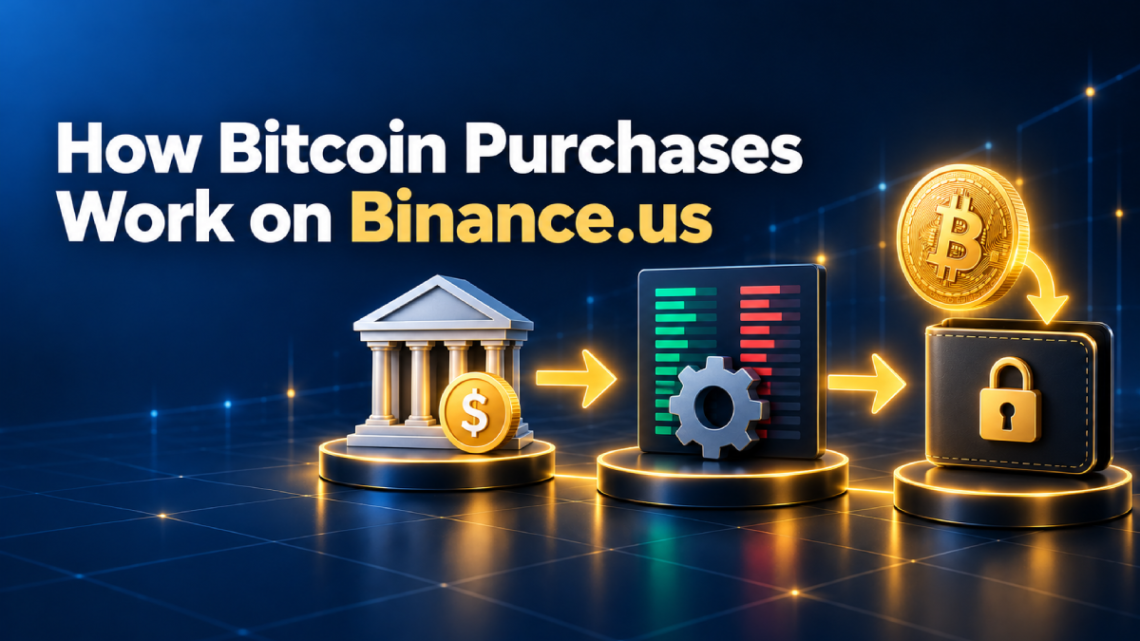
Most people who buy Bitcoin for the first time tap a button, see a number appear in their wallet, and move on. That’s fine, but it leaves a lot of questions unanswered. Where does the Bitcoin come from? Who’s on the other side of the trade? Why did you get slightly less than the price you saw on the chart? And is that Bitcoin actually yours yet? This article, How Bitcoin Purchases Work on Binance.us, explains what happens behind the scenes from the moment your dollars leave your bank to the moment the coins land in a wallet you control.
Once you understand the mechanics, you make better decisions. You’ll know when the simple Buy button makes sense, when a limit order saves you money, why some deposits come with holds, and what you’re really paying on every purchase.
Note: fees, features, and state availability change over time. The details below reflect Binance.US’s published information as of September 2026. Check the official fee schedule and help center before you trade.
How Bitcoin Purchases Work on Binance.us: The Big Picture
Binance.US is a centralized cryptocurrency exchange. Think of it as a marketplace plus a custodian. It matches buyers with sellers, and it holds the assets on your behalf while they sit in your account.
When you buy Bitcoin, you aren’t buying it from Binance.US in most cases. On the trading side, you’re buying it from another user who wants to sell, and the exchange acts as the matchmaker. On the simple Buy screen, the exchange gives you a ready-made quote and handles the matching for you.
Every Bitcoin purchase on the platform, no matter which screen you use, goes through three stages:
| Stage | What Happens | What It Affects |
|---|---|---|
| 1. Funding | Your dollars (or crypto) move into your Binance.US account | Speed, deposit fees, withdrawal holds |
| 2. Execution | Your order gets matched with a seller at a specific price | The price you pay, trading fees, spread |
| 3. Custody | Your Bitcoin sits in your account or moves to your own wallet | Security, control, network fees |
Let’s go through each one.
Stage 1: How Your Money Gets Into Binance.US
Before you can buy anything, the exchange needs your money. How you send it changes how fast you can trade, what it costs, and how soon you can move your Bitcoin out.
ACH Bank Transfers
ACH is the standard U.S. electronic bank transfer network, the same system used for direct deposits and bill payments. When you link your bank and deposit via ACH, Binance.US pulls the money from your account.
ACH is free on Binance.US, but it isn’t instant. The transfer takes a few business days to fully settle between banks. The platform may credit your account before settlement so you can start trading, but it can place a temporary hold on withdrawing what you bought until the money actually arrives. That hold exists because an ACH transfer can be reversed if the funds turn out not to be there.
Wire Transfers
Wires move money directly between banks and usually settle faster, often the same day or the next business day. Binance.US doesn’t charge for incoming wires, although your own bank probably will. Wires make the most sense for larger, one-time deposits.
Debit and Credit Cards
Card purchases are instant, which is their whole appeal. The trade-off is cost. Binance.US lists a 3.99% fee on card purchases, plus whatever your card issuer adds. Some credit card companies also treat crypto purchases as cash advances, which can mean extra charges and interest from day one.
Crypto Deposits
If you already own crypto elsewhere, you can send it to your Binance.US deposit address. Binance.US doesn’t charge for deposits, but you pay the network fee on the sending side. Your deposit shows up after the blockchain confirms the transaction a certain number of times, so timing depends on the network.
| Funding Method | Cost on Binance.US | Typical Speed | Hold Risk |
|---|---|---|---|
| ACH | Free | A few business days to settle | Possible withdrawal hold until settlement |
| Wire | Free (bank may charge) | Same day or next day | Low |
| Debit/credit card | 3.99% + issuer fees | Instant | Low, but most expensive |
| Crypto deposit | Free (sender pays network fee) | Depends on confirmations | None once confirmed |
Keep in mind that USD deposits aren’t available everywhere. Some states are crypto-only, and others aren’t supported at all, so check Binance.US’s list of supported states before you start.
Stage 2: How Your Bitcoin Order Gets Filled
This is the heart of How Bitcoin Purchases Work on Binance.us, and it’s the part most people never think about. When you hit “buy,” your order has to be matched with someone willing to sell at a price you’ll accept.
The Order Book, Explained Simply
Every trading pair on the exchange, such as BTC/USD, has an order book. It’s a live list of every outstanding buy and sell order.
- Bids are buy orders: “I’ll buy 0.05 BTC at $X.”
- Asks are sell orders: “I’ll sell 0.1 BTC at $Y.”
- The spread is the gap between the highest bid and the lowest ask.
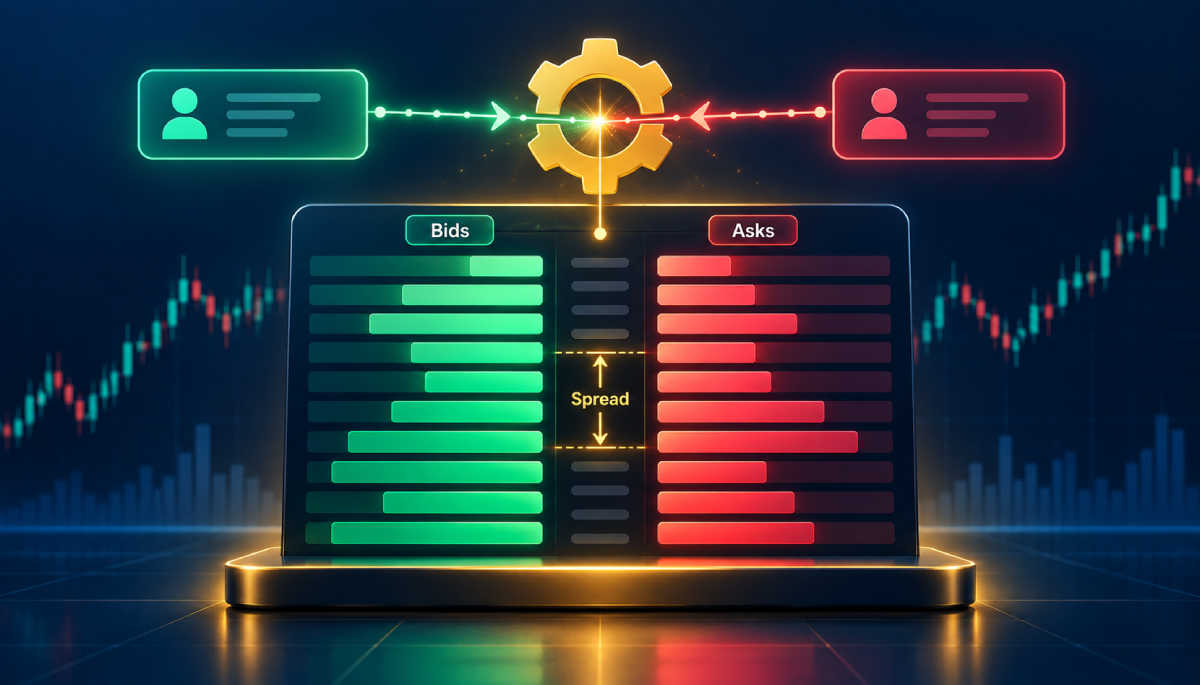
When a new buy order comes in at a price that meets an existing ask, the exchange’s matching engine pairs them and the trade executes. The seller gets dollars, you get Bitcoin, and the exchange updates both balances almost instantly.
The “price of Bitcoin” you see on a chart is usually the price of the last completed trade. It doesn’t guarantee you’ll get that exact price. What you actually pay depends on what’s sitting in the order book at the moment your order arrives.
Buy/Sell/Convert: How the Simple Quote Works
The simple Buy screen hides the order book from you. You enter a dollar amount, the platform shows a quote, and you confirm. There’s no separate fee line, but that doesn’t make it free. Binance.US says the cost of Buy/Sell/Convert is built into the spread, meaning the quote you see is slightly above the true market price.
That’s the price of convenience. You get a guaranteed amount of Bitcoin for your dollars, a clean interface, and no decisions about order types. For small or occasional purchases, many people are happy to pay it. For regular or larger buys, it adds up.
Advanced Trading: Makers and Takers
On the Advanced (Spot) trading screen, you interact with the order book directly, and fees are based on whether you add liquidity or take it.
- Maker: your order doesn’t fill right away. It rests on the order book and waits for someone to trade against it. You’re “making” the market. At the time of writing, Binance.US charges makers 0%.
- Taker: your order fills immediately against an order that’s already sitting there. You’re “taking” liquidity. Taker fees on most pairs are around 0.02%.
Exchanges reward makers because resting orders make the market deeper and more useful for everyone. You can use this to your advantage by placing limit orders that wait for the price to come to you.
Order Types on Binance.US
The Advanced screen gives you several order types. Here’s what each one does:
| Order Type | How It Works | Maker or Taker? | Best Used When |
|---|---|---|---|
| Market | Buys immediately at the best prices available in the order book | Taker | You want the Bitcoin now and accept the current price |
| Limit | Buys only at your chosen price or better | Usually maker if it rests on the book | You want to control your price and pay the lowest fees |
| Stop-Limit | Places a limit order automatically once the price hits a trigger level | Depends on how it fills | You want to buy only if the price breaks above a certain level |
| OCO (One-Cancels-the-Other) | Two linked orders; when one fills, the other cancels | Depends on how it fills | You want to plan for two scenarios at once |
Most buyers only need market and limit orders. Stop-limit and OCO are useful tools, but they’re more about trading strategy than simple buying.
What Happens When You Click “Buy”: A Walkthrough
Here’s a concrete example so you can see the moving parts together.
Say Bitcoin’s last traded price is $100,000 and you want to spend $500 with a market order on the BTC/USD pair.
- Your order hits the matching engine instantly.
- The engine looks at the lowest asks in the order book. Maybe there’s 0.003 BTC for sale at $100,010 and more above that.
- Your $500 buys the cheapest available Bitcoin first, then moves up the list until it’s fully spent.
- The trade executes as a taker order, so the taker fee applies. At 0.02%, that’s about $0.10.
- Your USD balance drops, your BTC balance rises, and the order shows up in your trade history.
Now the same purchase as a limit order at $99,900:
- Your order goes into the order book as a bid and waits.
- If a seller agrees to that price, or the market dips to it, your order fills.
- Because your order rested on the book, it’s a maker trade, and the fee is 0%.
- If the price never drops to $99,900, the order just sits there until you cancel or change it.
The market order gives you certainty of execution. The limit order gives you certainty of price. That’s the core trade-off.
Slippage: Why You Sometimes Pay More Than You Expected
Slippage is the difference between the price you expected and the price you actually got. It happens when the order book is thin or the market is moving fast, so a market order has to climb through several price levels to fill.
For typical retail-sized Bitcoin purchases on the main BTC pairs, slippage is usually small, because there’s plenty of volume. It matters more with large orders, less popular pairs, and during big news events when prices jump around. A limit order stops slippage from happening, because it simply won’t fill at a worse price than the one you set.
Stage 3: Where Your Bitcoin Lives After You Buy
Once the trade executes, Bitcoin appears in your Binance.US wallet. But it’s worth understanding what that balance really is.
Your Exchange Balance Is a Custodial Balance
When your Bitcoin sits on Binance.US, the exchange controls the private keys to the wallets where it’s stored. Your account balance is a record of what the exchange owes you. This is called custodial storage.
It’s convenient. You can sell or trade in seconds, and you don’t have to manage any keys. But it also means you’re trusting the exchange’s security and its continued ability to operate. Crypto exchange balances aren’t covered by FDIC insurance the way bank deposits are.
Moving Bitcoin to Your Own Wallet
When you withdraw Bitcoin to a wallet you control, the transfer happens on the actual Bitcoin blockchain. Here’s what goes on:
- You enter your wallet address and the amount.
- Binance.US broadcasts the transaction to the Bitcoin network.
- Miners include it in a block. New blocks arrive roughly every ten minutes on average.
- After a few confirmations, the Bitcoin is fully in your wallet and under your control.
Binance.US charges a variable crypto withdrawal fee that’s tied to network conditions. Because the fee is per withdrawal, not per dollar, it’s usually cheaper to withdraw in one larger batch than in lots of small ones.
| Storage | Who Holds the Keys | Speed to Sell | Main Risk |
|---|---|---|---|
| Binance.US balance | The exchange | Instant | Exchange-level risk, account restrictions |
| Software wallet | You | Minutes (after sending back) | Device security, phishing |
| Hardware wallet | You | Minutes (after sending back) | Losing your recovery phrase |
What a Bitcoin Purchase on Binance.US Really Costs
Now that you know the moving parts, here’s how the costs stack up. Each stage has its own potential fee:
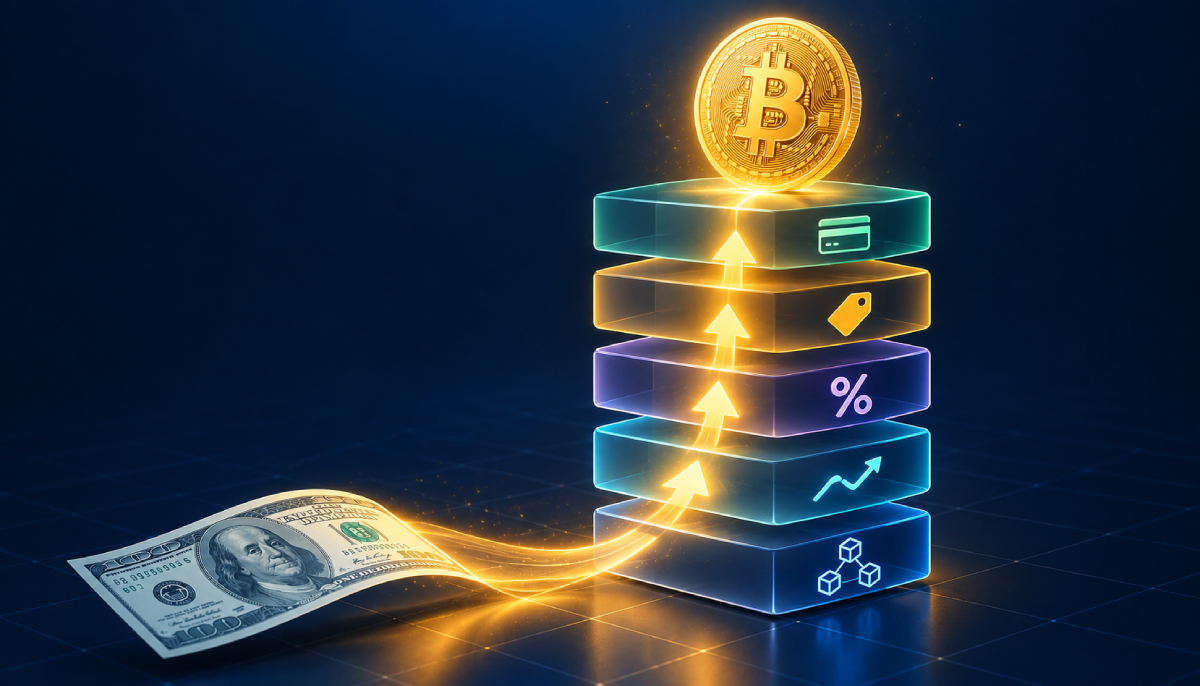
| Cost Layer | Where It Comes From | Typical Amount (at time of writing) |
|---|---|---|
| Funding fee | How you deposit | $0 with ACH or wire; 3.99% with a card |
| Spread | Simple Buy/Sell/Convert quotes | Built into the price |
| Trading fee | Advanced trading | 0% maker, around 0.02% taker on most pairs |
| Slippage | Thin order books or fast markets | Usually small on major BTC pairs |
| Withdrawal fee | Moving BTC off the exchange | Variable, network-based |
| USD withdrawal | Cashing out to your bank | Free via ACH; $25 flat for wires |
Here’s how three different approaches compare on a $1,000 purchase, ignoring spread and withdrawal:
- Card + simple Buy: about $40 in card fees, plus the spread in the quote.
- ACH + market order: roughly $0.20 in taker fees.
- ACH + limit order that rests on the book: $0 in trading fees.
Same Bitcoin, same exchange, very different bills. That’s why understanding the mechanics pays off.
Trading Pairs: BTC/USD vs. BTC/USDT vs. BTC/USDC
On the Advanced screen, you’ll see Bitcoin paired with different currencies. The pair tells you what you’re paying with.
| Pair | You Pay With | Why Use It |
|---|---|---|
| BTC/USD | U.S. dollars in your account | The most direct option if you deposited USD |
| BTC/USDT | Tether, a dollar-pegged stablecoin | Useful if you already hold USDT |
| BTC/USDC | USD Coin, a dollar-pegged stablecoin | Useful if you already hold USDC |
Different pairs have separate order books, so prices and liquidity can differ slightly between them. If you deposited dollars, BTC/USD is usually the simplest choice.
How Recurring Buys Work
Binance.US offers recurring buys, which let you schedule automatic Bitcoin purchases daily, weekly, or monthly. This is a hands-off way to dollar-cost average, meaning you buy a fixed dollar amount on a regular schedule no matter what the price is.
Behind the scenes, a recurring buy works like a simple Buy order that runs automatically on your schedule. That makes it convenient, but pricing usually follows the Buy/Sell model, with the spread built in. If you want the lowest possible cost and don’t mind a little manual effort, placing your own limit orders on a schedule does the same job for less.
Behind the Scenes: Security and Compliance Checks
Some parts of how Bitcoin purchases work on Binance.US have nothing to do with price and everything to do with regulation.
- KYC (Know Your Customer): you verify your identity before you can deposit or buy. This is required of U.S. money service businesses.
- AML monitoring: transactions are screened for signs of fraud or money laundering. Unusual activity can trigger reviews or temporary holds.
- Withdrawal holds: as mentioned, new ACH deposits may come with a waiting period before you can withdraw crypto bought with them.
- Security tools: two-factor authentication, withdrawal address whitelisting, and anti-phishing codes help protect your account.
These checks can feel like friction, but they’re a big part of why a regulated U.S. exchange works the way it does.
Taxes and Record-Keeping
In the U.S., the IRS generally treats cryptocurrency as property. Buying Bitcoin with dollars usually isn’t a taxable event by itself. Selling it, trading it for another coin, or spending it usually is, and your gain or loss depends on what you paid originally (your cost basis).
U.S. crypto platforms are now required to report customer sales to the IRS on Form 1099-DA, so accurate records matter more than ever. Download your Binance.US transaction history regularly and keep track of your purchase prices. If your situation is complicated, a tax professional is worth the fee. This is general information, not tax advice.
Common Misconceptions About Buying Bitcoin on Binance.US
- “No fee means free.” The simple Buy screen has no separate fee line, but the spread is still a cost.
- “The chart price is what I’ll pay.” The chart shows the last trade. Your price depends on the order book when your order arrives.
- “I’m buying from Binance.US.” On the Advanced screen, you’re usually trading with other users. The exchange matches you.
- “My Bitcoin is in my wallet.” On the exchange, it’s a custodial balance. It’s only fully yours once it’s in a wallet where you control the keys.
- “Limit orders are only for pros.” They’re one of the simplest ways for anyone to pay less.
- “A pending ACH deposit means I can’t trade.” You may be able to trade before settlement. It’s withdrawals that are more likely to be held.
Quick Summary
If you remember nothing else about How Bitcoin Purchases Work on Binance.us, remember this:
- Funding decides your speed and deposit costs. ACH is free but slower, and cards are instant but expensive.
- Execution decides your price and trading fees. Simple Buy uses a spread. Advanced trading uses maker and taker fees, and limit orders can cost nothing.
- Custody decides who controls your Bitcoin. The exchange holds it until you withdraw it to your own wallet.
Frequently Asked Questions
Who sells me the Bitcoin when I buy on Binance.US?
On the Advanced (Spot) trading screen, your order is matched with other users’ sell orders in the order book. On the simple Buy/Sell screen, the platform gives you a quote and handles the matching and pricing for you, with its margin built into the spread.
Why did I get less Bitcoin than the chart suggested?
A few things can explain it: the spread on simple Buy quotes, trading fees, card fees if you paid by card, and slippage if the market moved or the order book was thin. The chart shows the last traded price, not a guaranteed purchase price.
What’s the difference between a maker and a taker?
A maker places an order that rests on the order book and waits to be filled, adding liquidity. A taker places an order that fills immediately against an existing one, removing liquidity. At the time of writing, Binance.US charges 0% for maker trades and around 0.02% for taker trades on most pairs.
Is a market order or a limit order better for buying Bitcoin?
It depends on what matters more to you. A market order fills right away but you accept the current price and pay the taker fee. A limit order lets you choose your price and often costs nothing in trading fees, but it may not fill if the price never reaches your level.
How long does it take for Bitcoin to show up after I buy?
The trade itself executes in seconds, and the Bitcoin appears in your Binance.US balance almost instantly. If you then withdraw to your own wallet, expect to wait for blockchain confirmations. New Bitcoin blocks arrive roughly every ten minutes on average.
Why can’t I withdraw the Bitcoin I just bought?
If you funded the purchase with an ACH deposit that hasn’t fully settled, Binance.US may hold withdrawals until the money clears. This protects against reversed bank transfers. Security reviews or recent account changes can also trigger temporary holds.
Do recurring buys cost more than regular trades?
Recurring buys generally follow the simple Buy pricing model, with the cost built into the spread. That’s usually more expensive than placing your own limit orders on the Advanced screen, though it saves you time.
Is my Bitcoin safe on Binance.US?
Binance.US uses standard security measures and offers account protections like 2FA and address whitelisting. Still, any exchange balance is custodial and isn’t covered by FDIC insurance. Many people keep only what they plan to trade on an exchange and move long-term holdings to their own wallet.
Do I pay taxes when I buy Bitcoin on Binance.US?
Buying Bitcoin with dollars generally isn’t taxable by itself in the U.S. Selling, trading, or spending it usually is. Keep good records of every purchase, since your original cost determines your gain or loss later.
Final Thoughts
Buying Bitcoin looks like a single tap, but it’s really three processes working together: getting your money onto the exchange, matching your order with a seller, and deciding where your coins live afterward. Each stage has its own costs and trade-offs, and once you see them clearly, the smart choices become obvious. Fund with ACH when you can, use limit orders when you’re not in a rush, and move long-term holdings into a wallet you control.
We hope How Bitcoin Purchases Work on Binance.us gave you a clearer picture of what’s happening every time you hit that buy button. Bitcoin is volatile, so only invest what you can afford to lose, and always check the latest fees and rules on Binance.US’s official site before you trade.
Disclaimer: This article is for educational purposes only and isn’t financial, investment, or tax advice. Cryptocurrency involves risk, and fees, features, and availability can change at any time.